Up to ₹250 crore per breach. Notice, consent, rights, breach reporting and erasure become enforceable on 13 May 2027.–weeks leftCheck your readiness →
Cookie banner · DPDP s.6, Rule 3
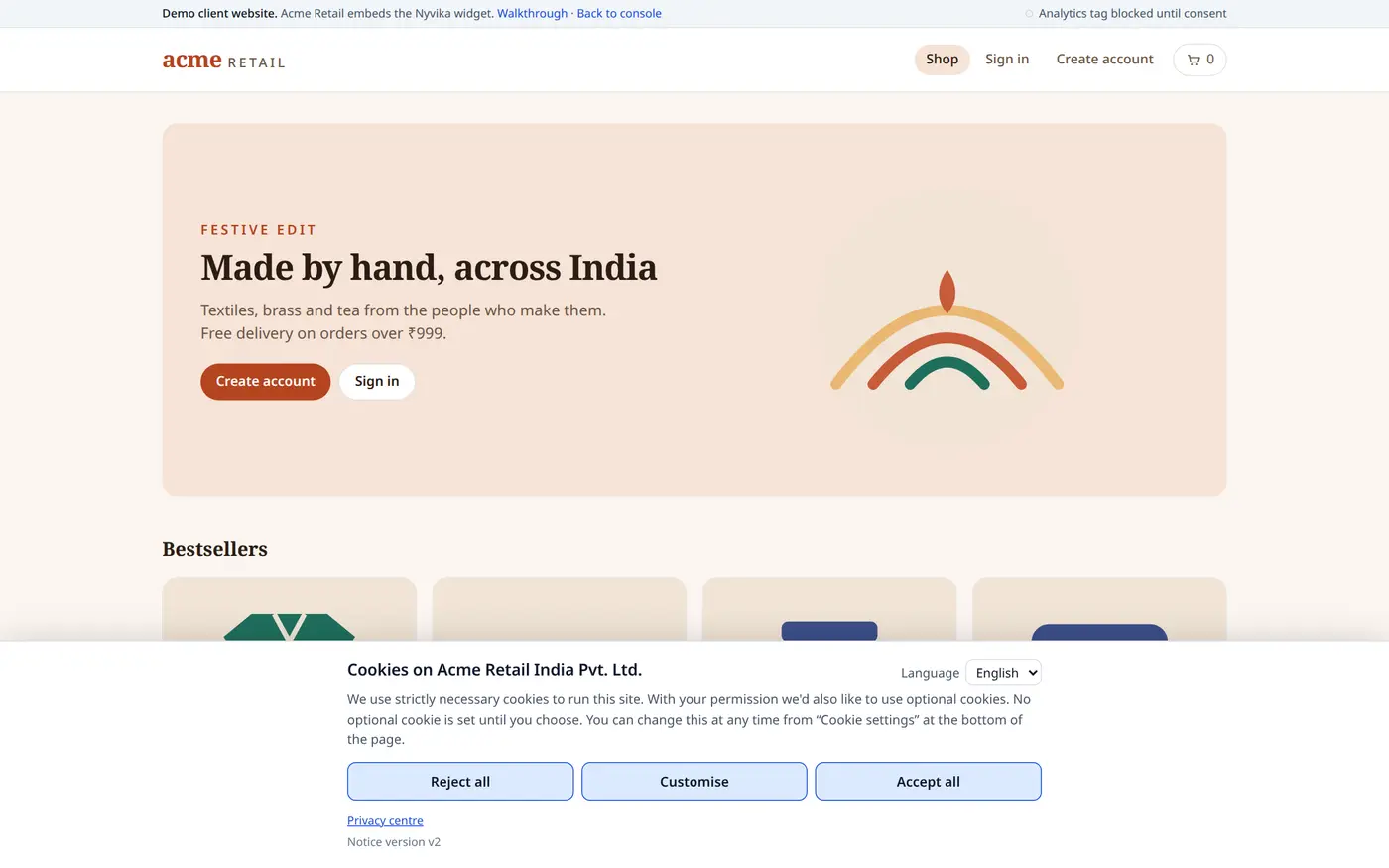
A cookie banner that actually blocks.
Four categories, equal buttons, nothing optional set until the person allows it. Decisions are recorded on the server, not just in the browser, so they appear in the same evidence as every other consent.
A banner that loads the analytics tag before anyone clicks, or that hides the reject option behind a settings screen, collects nothing the Act recognises as consent.
Loaded before the click
Scripts that run anyway
If the tag is already firing when the banner appears, the choice is decorative. Blocking has to happen before the script loads, not after.
Buried reject
Accept in blue, reject in grey
Unequal choices are the most common dark pattern on Indian websites and the easiest for a regulator to screenshot.
Browser-only record
A cookie that remembers a cookie
Storing the decision only in the visitor's browser leaves you nothing to show when asked what a visitor chose and when.
What Nyvika does
Blocking, categories and a register.
The banner is part of the same widget as the consent notice, so one script tag covers both.
Equal choices
Reject all, customise and accept all, with the same size and weight. Necessary cookies are explained, not hidden.
Four categories: necessary, analytics, advertising, functional
Customise shows each category with its cookies
Language follows the visitor
Real blocking
Optional scripts are held until the category is allowed, then released. Changing the choice later re-blocks.
Tags marked by category in your page
Nothing fires before a decision
Preferences changeable from a link in the footer
Cookie register
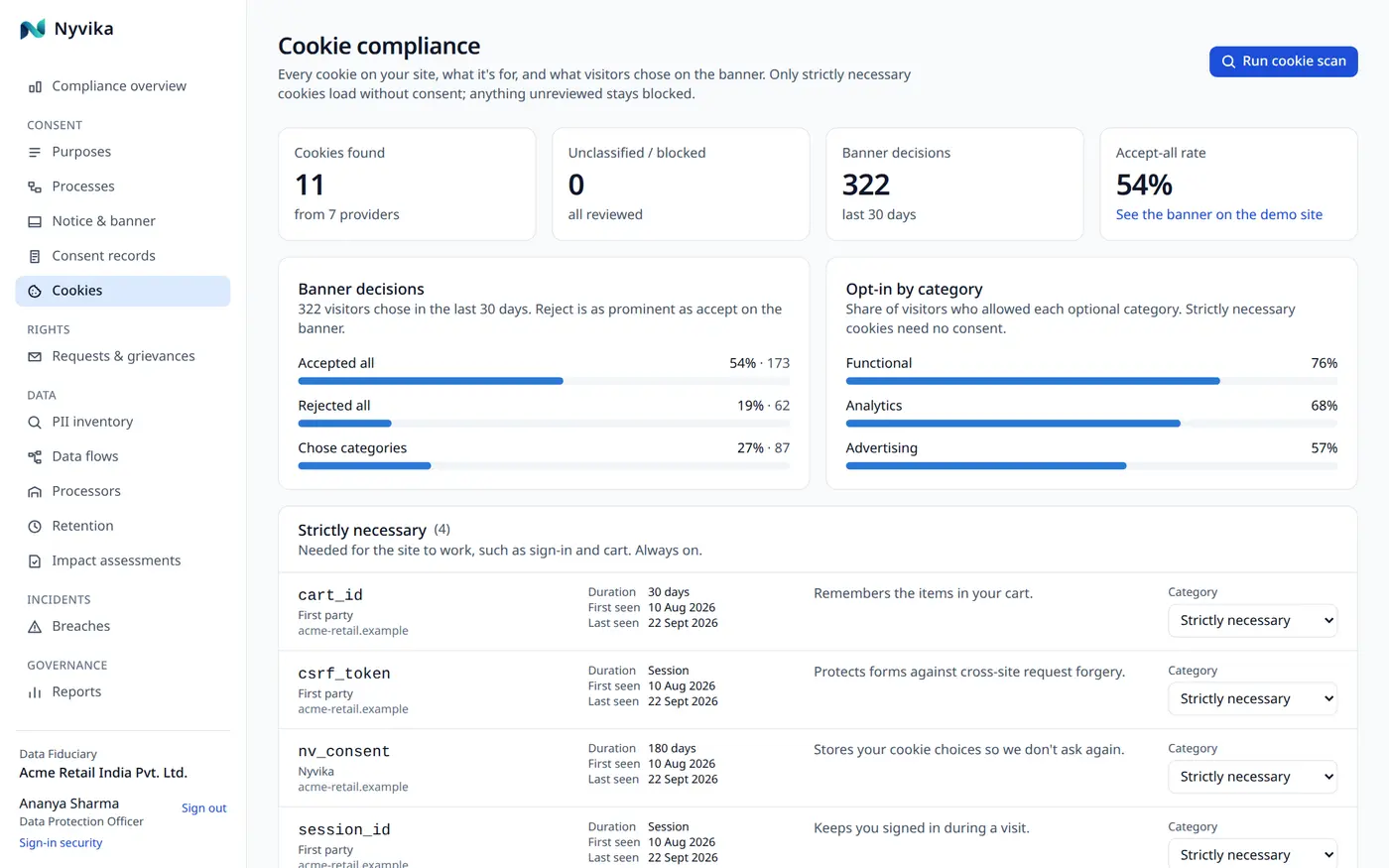
Every cookie your site sets, with provider, purpose, duration and category, reviewed by your team.
Unknown cookies arrive unclassified and stay blocked
Last-seen dates keep the register honest
Exported as the cookie register report
Server-side record
Each decision is recorded against the visitor with its banner version and time.
Appears in the consent ledger
Counts in the compliance score
Withdrawal is one click
Honest about the crawler
Your register, your review.
In this release the inventory is built from what your site declares and what your team adds; the automatic crawler is simulated. Anything unknown is blocked until someone classifies it, which is the safe default either way.
Declare or add
Cookies are declared in the page by category, or added in the console with provider and duration.
Blocked until classified
An unclassified cookie never runs. Classification is a review step, not a guess.
Reported
The cookie register is one of the nine audit-ready reports.
One ledger
How it connects.
Every module writes to the same registers and the same hash-chained evidence, so nothing is re-keyed and nothing is lost between teams.
No. Cookies strictly necessary to provide the service the person asked for do not need consent; the banner explains them without a switch. Analytics, advertising and functional cookies do.
Does it support Google Consent Mode or IAB TCF?
Not in this release. The banner blocks and releases the tags you mark by category, which is what the Act requires. Consent Mode signalling is on the roadmap.
Can we style the banner?
Colours, position and copy, yes. The equal weight of reject and accept and the blocked-by-default rule are fixed.