Ten sources
Databases, object stores, drives, warehouses and your connected CRM.
- PostgreSQL, MySQL, MongoDB
- S3 and S3-compatible, Azure Blob, Google Drive, SharePoint
- BigQuery, Snowflake, CRM objects
You cannot give notice for data you do not know you have, or erase it, or report a breach of it. Nyvika reads the systems a business actually runs, finds Indian personal data, and keeps an inventory your other obligations depend on.
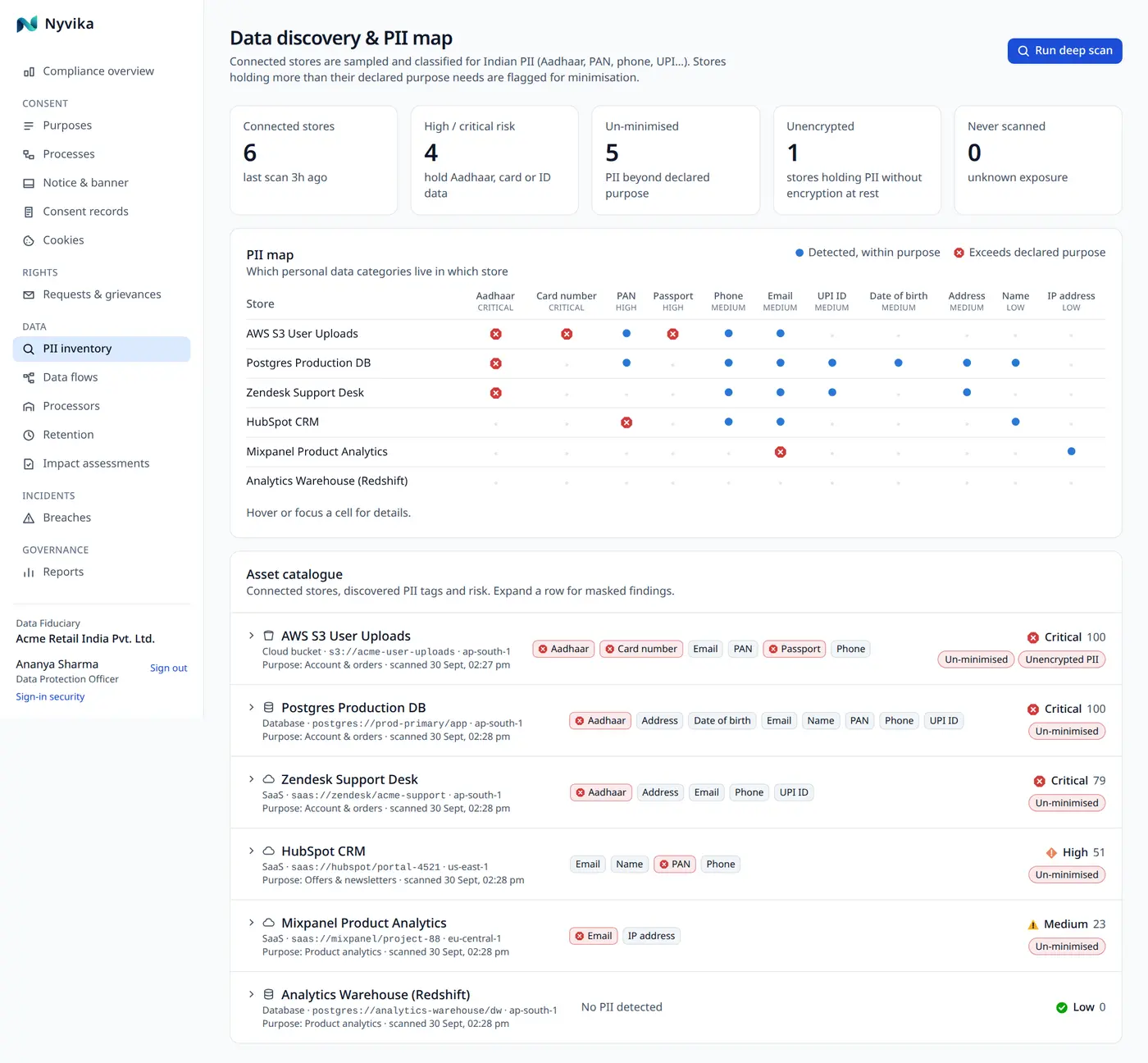
Every obligation starts with knowing where personal data is. Most organisations know roughly; the Act asks for enough precision to erase it and to say what was breached.
Connectors sample, they do not copy. Limits on tables, rows, objects and document size keep a scan quick and safe.
Databases, object stores, drives, warehouses and your connected CRM.
Thirteen types with format and checksum validation and context scoring to cut false positives.
Each store with its findings, risk score and the purposes it serves; a data-flow map from purposes to stores to processors.
Already run a discovery or data-security tool? Import its inventory as CSV or JSON and keep using it.
Connection credentials are encrypted in the vault and bound to the asset they belong to. Scans run in the background and sample under fixed limits.
At most 200 tables, 20 rows per table, 500 objects and 64 KB per document in a scan.
Scan one store or all of them from the console; findings keep their first-seen and last-seen dates.
Text and column names are read; images, scans and audio are not. Continuous scanning is on the roadmap.
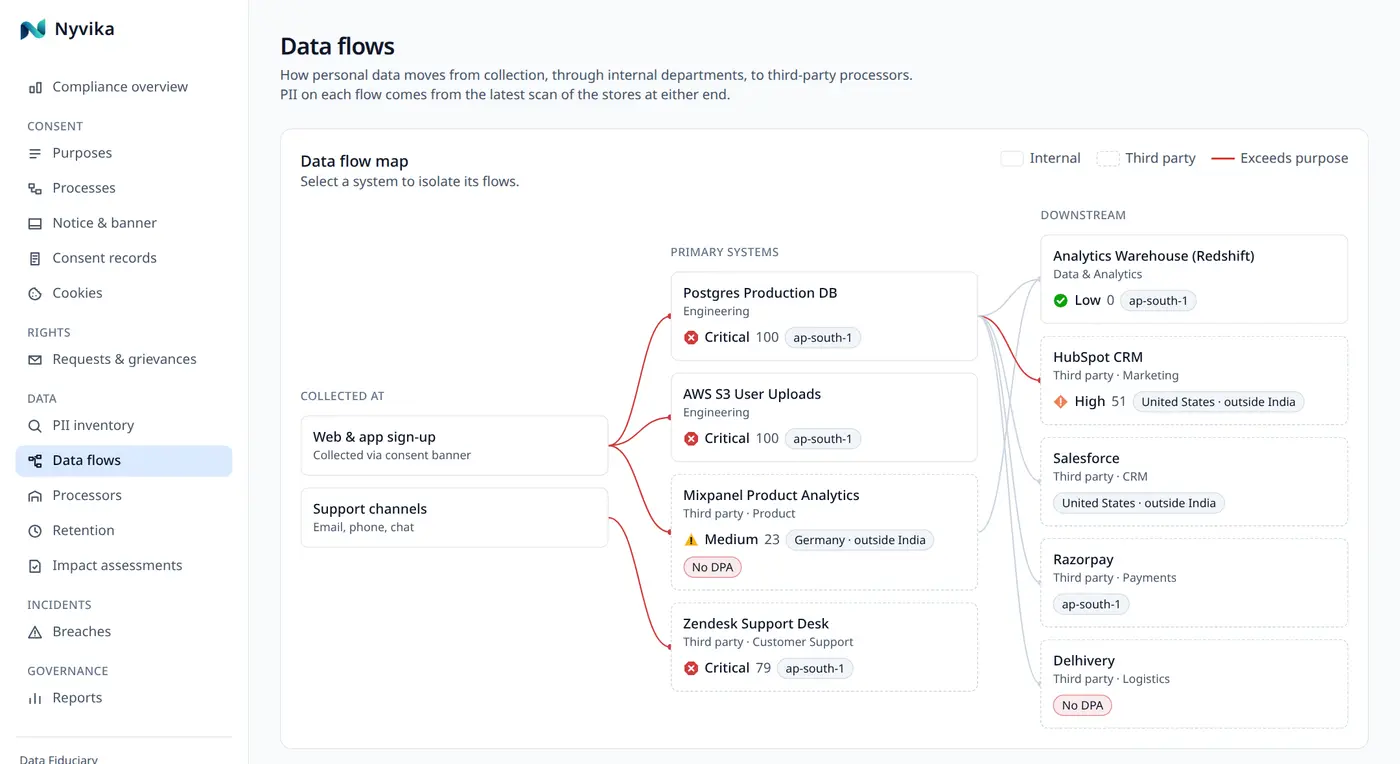
Every module writes to the same registers and the same hash-chained evidence, so nothing is re-keyed and nothing is lost between teams.
Affected systems are chosen from the inventory; affected people follow from their purposes.
See breach response →An assessment links to the stores and processors a purpose touches.
See impact assessments →The record of processing report is generated from what discovery found and what you declared.
See ledger, reports & audit →No. A scan reads a bounded sample, classifies it, and stores the finding (which identifier types, how many, where), not the values. Credentials are encrypted and used only for scans you start.
Scans are started from the console or the API in this release. A per-store schedule is on the roadmap; most customers scan monthly and after any new system goes live.
Keep it. Export its inventory and import it into Nyvika, so breach response, assessments and the record of processing use what it found.
Still have a question? Write to us.
Bring read-only credentials for a test copy of a database or a bucket; you will see findings in minutes.